
Lore
Inventory
Recurring concept in The Legend of Zelda series
The Inventory, also known as the Items Screen, is a recurring concept in The Legend of Zelda series. The term collectively refers to all the items in Link's possession, as well as the interfaces where these are displayed and selected from.
The Inventory is viewed on the Subscreen—the two terms are synonymous in games where the Inventory comprises the entire Subscreen. It is divided into sections for the different types of items, namely items assigned to buttons, Equipment, quest items, and collectibles. These different types of items may appear in different sections of the same screen, or on different screens entirely: the Items screen (for selected items), the Quest Status screen, the Equipment Subscreen, the Collection Screen, and/or the Gear Screen.
The Legend of Zelda
In The Legend of Zelda, the Subscreen is accessed by pressing the START button. At the top of the screen are icons showing if Link has collected the Raft, the Book of Magic, the Blue or Red rings, the Ladder, the Magical Key, and the Power Bracelet. Below that is an item box containing, from left to right and top to bottom, the Boomerang or Magical Boomerang, Bombs, the Bow and Silver Arrows, the Red or Blue Candle, the Whistle, the Food, the Letter, Red Potion, or Blue Potion, and the Magical Rod. The number of collected Triforce Shards, Rupees, Keys, Bombs, and Heart Containers can also be seen, as well as the Sword and item currently equipped to the B button.

Link's Awakening
In Link's Awakening, the Subscreen is accessed by pressing the START button. It allows Link to browse his possessions. As such, he can see his collection of items, his current item in the Trading Quest, the number of Rupees, Heart Containers, and Secret Seashells he possesses, the Instruments of the Sirens he has so far, which of the Dungeon Keys he is holding onto and whether or not he has obtained the Flippers and Secret Medicine. Link can also re-organize the location of his items in the Subscreen. Having a maximum capacity of two items equipped at once, he can decide which items he wants to equip on this screen. Upon holding the SELECT button on the Subscreen, Link can see how many Pieces of Heart he is missing until he fills another Heart Container. In Link's Awakening DX, holding the Select button also lets him know which Clothes he is wearing and the number of Photographs that have been taken so far.

Link's Awakening for Nintendo Switch
Ocarina of Time
Ocarina of Time 3D
Majora's Mask
Majora's Mask 3D
The Wind Waker
The Wind Waker HD
The Minish Cap
The Inventory is one of the Subscreen in The Minish Cap, accessed by pressing START. There are 12 slots for Item and four slots for Empty Bottle. Each of the 12 Item slots are dedicated to a particular Item, and unlike the Empty Bottle, the spots do not fill up from left to right; rather, each Item obtained is placed in its designated slot.
Whenever an Item is exchanged for a variation or an upgrade, the previous version disappears and is replaced with the new version in the Inventory.
The Item displayed in the Inventory are as follows (left to right, top to bottom):
Smith's Sword, White Sword, Four Sword
Gust Jar
Cane of Pacci
Boomerang, Magical Boomerang
Small Shield, Mirror Shield
Mole Mitts
Flame Lantern
Bomb, Remote Bomb
Pegasus Boots
Roc's Cape
Ocarina of Wind
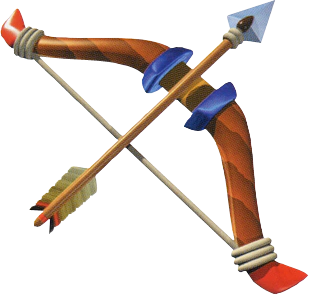
Bow, Bow of Light
Twilight Princess
In Twilight Princess, the Inventory appears in a large circle with all of Link's collected items on the border. The player can select the item they wish to use and then select which button they want to use it as. To use the item, the player must press the button they assigned the item to and Link will pull out the item. The complete order of icons starting from the top going clockwise is, the Double Clawshots, the Dominion Rod, the Ball and Chain, the Spinner, the Hero's Bow, the Iron Boots, the Gale Boomerang, the Lantern, the Slingshot, the Fishing Rod, the Hawkeye, the three Bomb Bags, the four Bottles, and finally, the Horse Call.
The second Inventory screen shows the Equipment. In the bottom left corner of the screen, a 2-by-4 array of squares shows icons of, from left to right, the Wallet, the Quiver, the Golden Bug List, the Hidden Skill List, the Scent that Wolf Link knows at the time, the Poe Soul Count, the Fish Journal and then lastly, Letters. Each of these icons are displayed only once they have been unlocked. When each icon hasn't been found, only a empty box will appear. Above these squares, a display of Link shows what equipment Link is using at the time. To the right of this display, 7 boxes display more icons. The top 2 squares display Link's Swords, with the Ordon Sword next to the Master Sword. Below these two boxes, two shields are displayed with the Ordon Shield next to the Hylian Shield. Below those boxes, three boxes can be found holding armor, with the Hero's Clothes, the Zora Tunic and then the Magic Armor all next to each other. Next to these boxes, a display with the Pieces of Heart that Link has collected shows how many more Link needs to complete a Heart Container. Next to the Pieces of Heart, the main quest items appear floating around a small area. At first, these are the Fused Shadows, but after beating the Arbiter's Grounds (Dungeon) Dungeon, they change to the Mirror of Twilight. And finally, underneath the main quest items and Armor, a description appears depending on which icon is selected at the time.
Twilight Princess HD
Skyward Sword
Skyward Sword HD

Sources
Adapted from the original article, under GFDL 1.3.